 WakeFlow
Wake up on time.
Leave on time.
Tell WakeFlow where you need to be and when. It works out when to wake you and when to leave — then walks you through your morning until you’re out of the door.
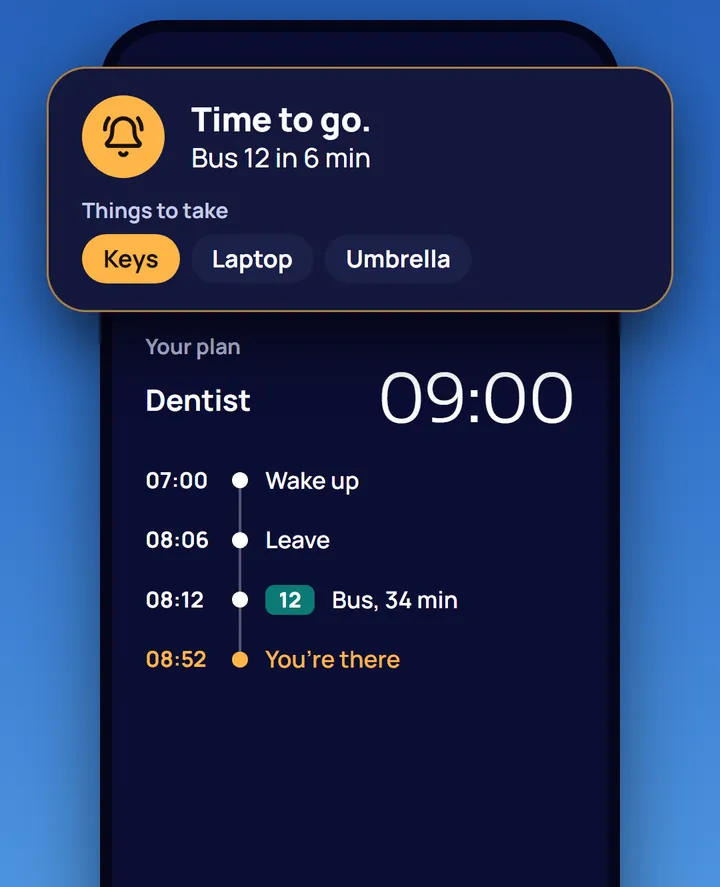
Your morning, worked out backwards.
You say when you must be there. WakeFlow counts back through your trip and your routine, and sets the alarm for you.
Choose where and when
Work at 9, the dentist tomorrow at 10:30. By car, bus and train, on foot or by bike.
WakeFlow does the maths
The route, the bus or train that gets you there, and your routine. An hour before, it checks traffic and weather again.
Get up and go
Your routine moves on by itself and a calm voice tells you what’s next — so you leave on time.
✦ WakeFlow Pro — free for 7 days. Simple alarms are always free.
Everything your morning needs.
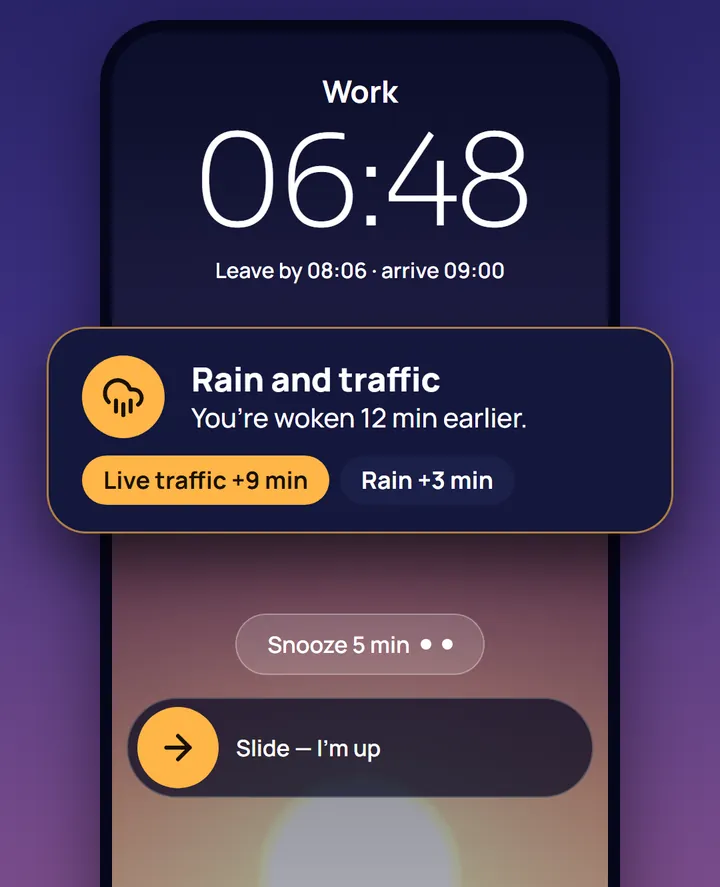
Rain or traffic? It wakes you earlier.
An hour before your alarm, WakeFlow checks the road and the weather. If the trip will take longer, it moves your alarm earlier — never more than you allow.
- Live traffic by car, by bike or on foot
- The bus or train that gets you there on time
- “Time to go”, and the things to take along
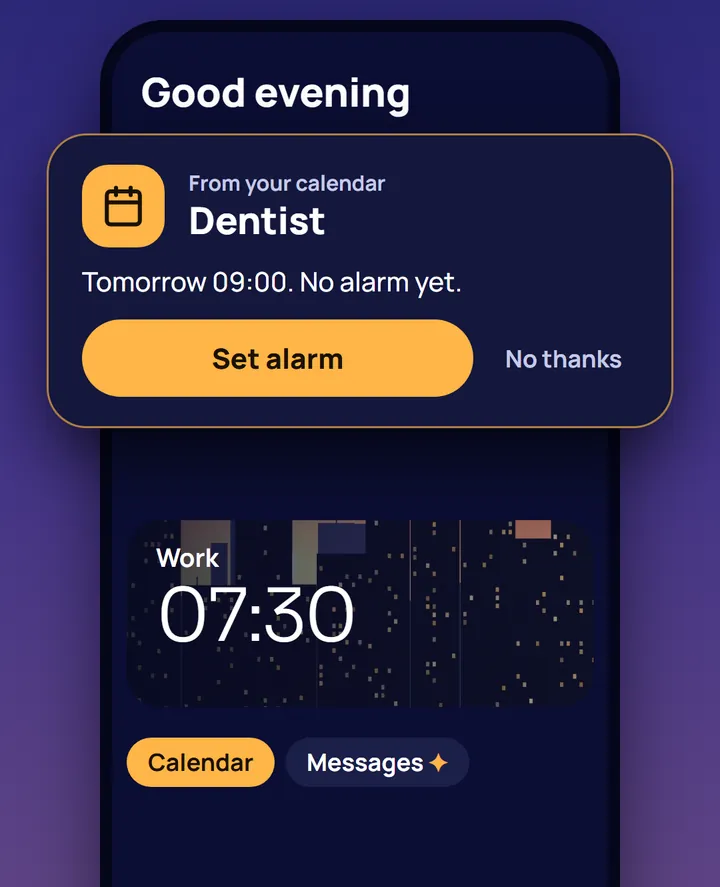
An appointment with no alarm? WakeFlow offers one.
WakeFlow notices appointments in your calendar, and in WhatsApp or text messages from the apps you choose — and offers the right alarm, with the place and the trip.
- One tap to set it, or “No thanks”
- If you switch it on: an alarm by itself for an important appointment — a flight, a doctor — with Undo
- Your alarm moves when the appointment moves, if you want
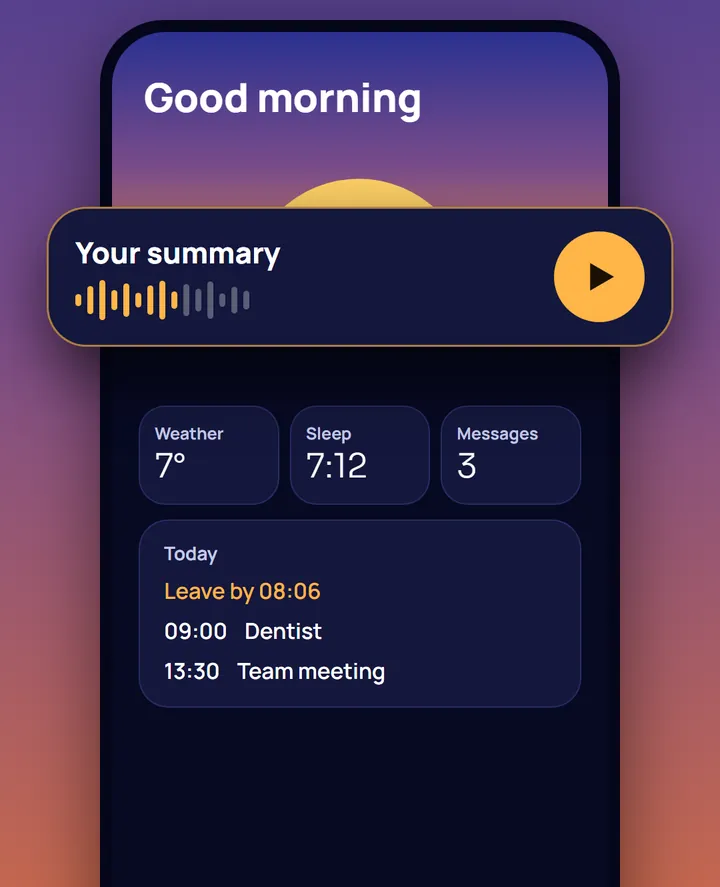
Your day, read aloud when you wake.
A short summary every morning and evening: when to leave, the weather on your way, your appointments and the messages that came in overnight — in a natural voice.
- You choose what you want to hear
- A coach with tips from your own mornings
- AI only after you allow it
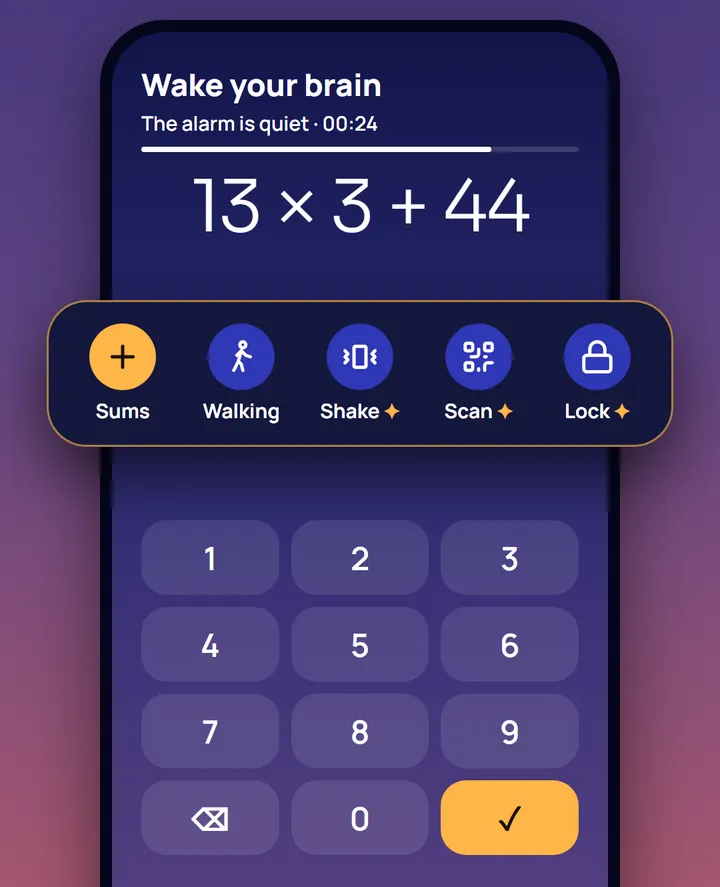
It stops only when you’re really up.
An alarm that always rings — even in silent mode — and gets gently louder. Then a task to switch it off: sums or walking for free; shaking, standing up or scanning a code with Pro.
- 35 tones, or your own song
- Screen sunrise, and smart wake in light sleep (Pro)
- Lock mode: no turning it off until you’re up (Pro)
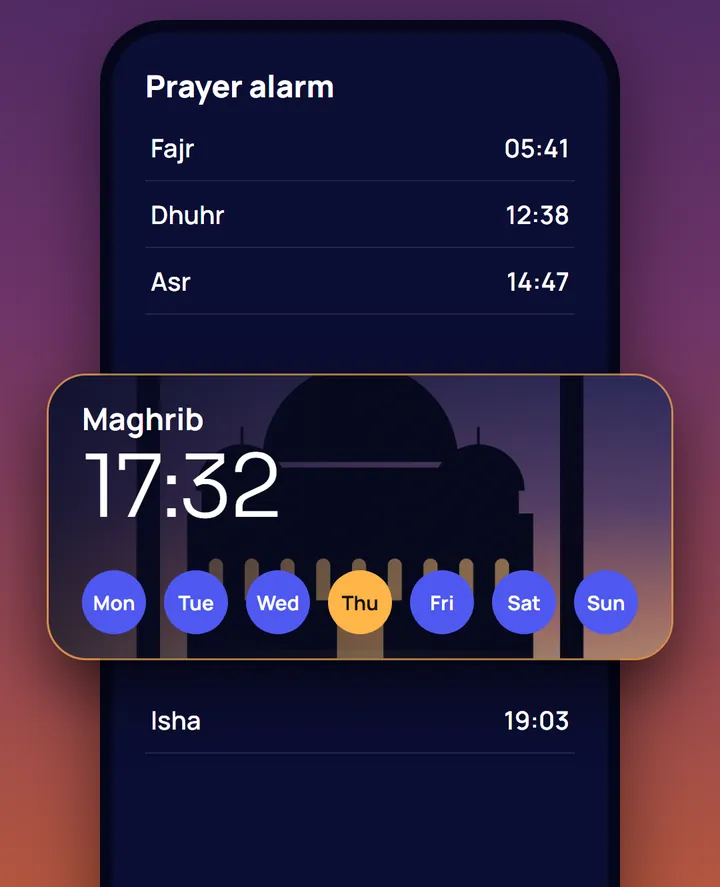
Prayer alarms that move with the prayer.
Fajr or any other prayer, worked out on your phone for where you are. The alarm moves with the prayer time every day — nothing to change by hand.
Good mornings start the night before.
Your routine on autopilot
Each step moves on by itself, with the time you have left always in view.
Sleep, tonight
A bedtime that fits tomorrow’s alarm, calm sounds, a breathing exercise, and Good night that checks tomorrow.
Recording while you sleep
Snoring and talking at night — only the loud moments, kept only on your phone.
Your week at a glance
Sleep, snoozes and how often you were on time — and 25 badges to earn.
Home-screen widget
Your next alarm, one look away.
13 languages
Arabic, English, Dutch, French, German, Spanish, Turkish, Urdu and more.
Start free. Try Pro for 7 days.
Free
Everything to get up on time
Forever, with no ads
- Alarms that always ring, with tasks
- Prayer-time alarms
- Your morning routine on autopilot
- Sleep: bedtime, sounds, breathing and recording
- This week’s statistics and badges
- Home-screen widget
WakeFlow Pro ✦
On time, every morning
Prices in the EU. Google Play shows the price in your country.
- Arrive by time, with the route and bus and train times
- Earlier for traffic and weather, “Time to go” and things to take
- Appointments from your calendar and messages
- Your day read aloud, and your coach
- Smart wake, screen sunrise and lock mode
- All statistics, backgrounds and ready-made alarms
The 7 days of Pro start by themselves once you’ve set up the app — no payment details, once per phone. Afterwards you’re back on Free, unless you choose Pro. Monthly or yearly through Google Play; cancel any time.
Your mornings stay yours.
No account, no ads
Your alarms, mornings, sleep and places are stored on your phone.
Recordings stay on your phone
Night recordings are never sent anywhere — not even into Android’s backup.
AI only when you allow it
WakeFlow asks first, and you can report any AI answer. Live traffic and weather can be switched off in the app.
Made in Belgium, under EU rules
Export or delete everything from the app, any time. This website uses no cookies.
Good to know.
Does the alarm ring when the app is closed or the phone is on silent?
Yes. WakeFlow uses Android’s own alarm clock, so it rings with the app closed, on silent and over the lock screen — even after the phone restarts.
Is WakeFlow free?
Yes. Alarms, your routine, prayer alarms and sleep are free. Pro adds planning by arrival time, appointments, your day read aloud and more.
What happens after the 7 days of Pro?
You’re back on Free by yourself. Nothing is charged, there’s nothing to cancel, and your alarms keep ringing.
How do I cancel Pro?
In the Google Play app: tap your profile picture → Payments & subscriptions → Subscriptions → WakeFlow Pro → Cancel. Pro stays on until the end of the period you paid for.
Which phones does it work on? Is there an iPhone app?
Android 7.0 or newer. There is no iPhone version yet.
Does it need the internet?
No. Alarms, your routine and sleep work offline. The weather, live traffic, the trip and AI need a connection.
Which languages does it speak?
Thirteen: English, Arabic, Dutch, French, German, Spanish, Portuguese, Italian, Turkish, Indonesian, Japanese, Russian and Urdu.
Tomorrow morning starts tonight.
Set your first alarm in a minute. Free on Android.